Turn your desktop into a smart clipboard with a single shortcut.
Screenshots, screen recordings, magnifying color loupe, or voice notes… Instantly convert them into local cards, edit with built-in studios, and transfer to your phone with zero cloud dependency.
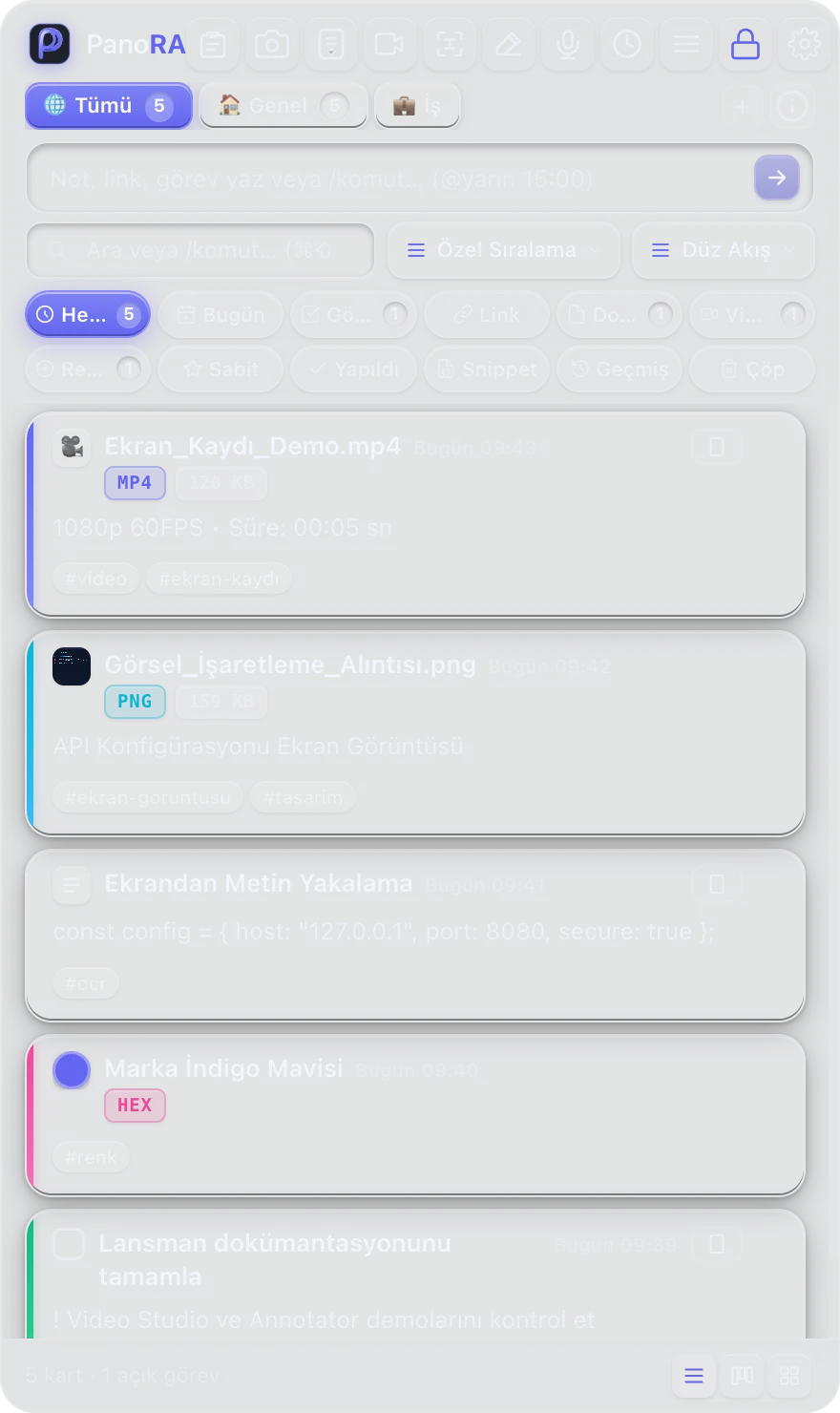
Real Tools Empowering Your Desktop
PanoRA transforms simple screen captures into a full-featured video editing, color analysis, and local knowledge hub.
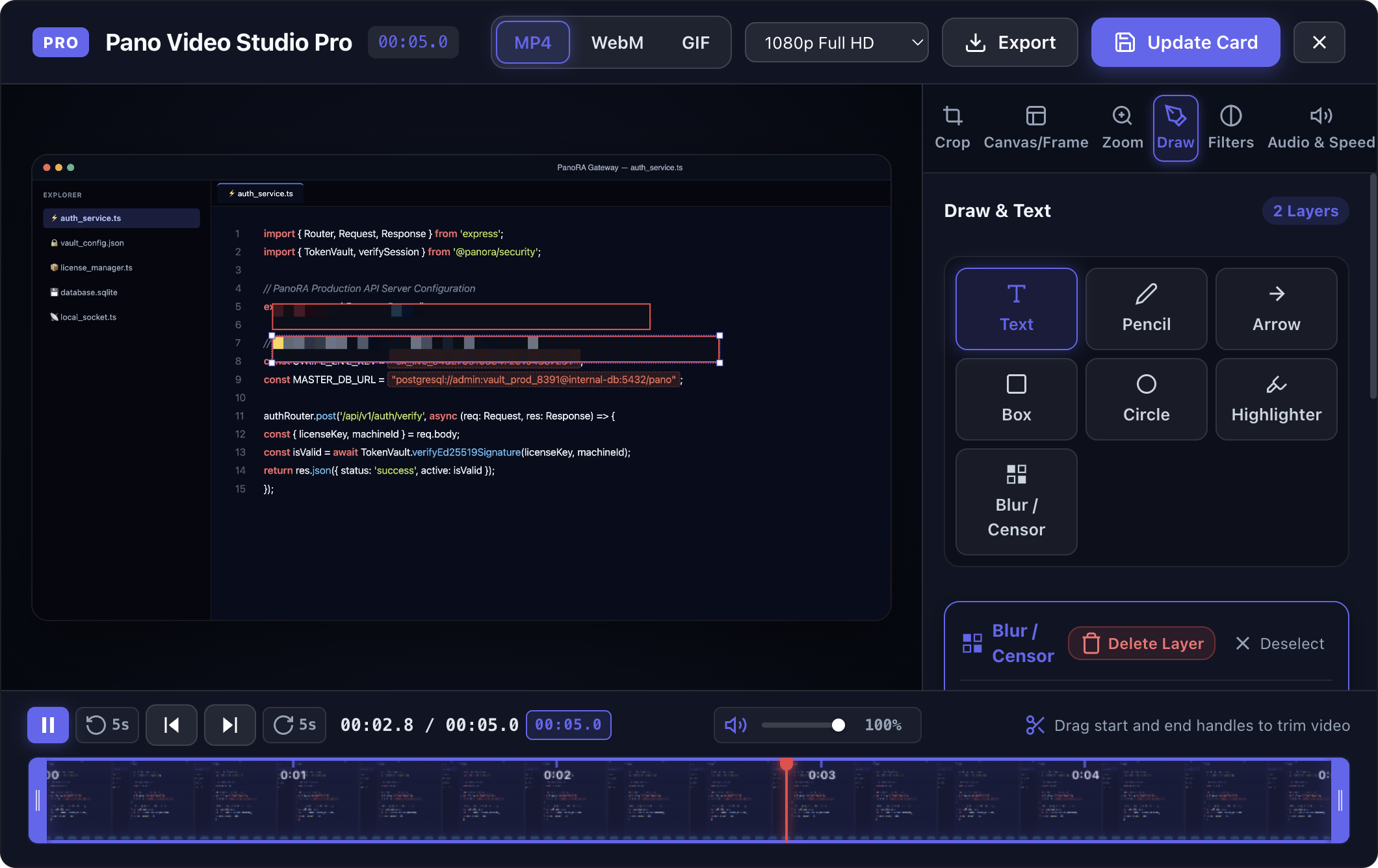
Hide Sensitive Information Instantly with Video Studio Pro
Never worry about exposed passwords, email addresses, or private API keys in your recordings. Use Video Studio's frame-accurate timeline to select sensitive areas and apply a pixel-perfect mosaic blur in one click.
- Hardware-accelerated screen recording on macOS with MP4, WebM, and GIF export
- 16:9, 1:1, 9:16, and freeform aspect ratio cropping tools
- Time-based mosaic blur redaction layers with pinpoint position anchoring
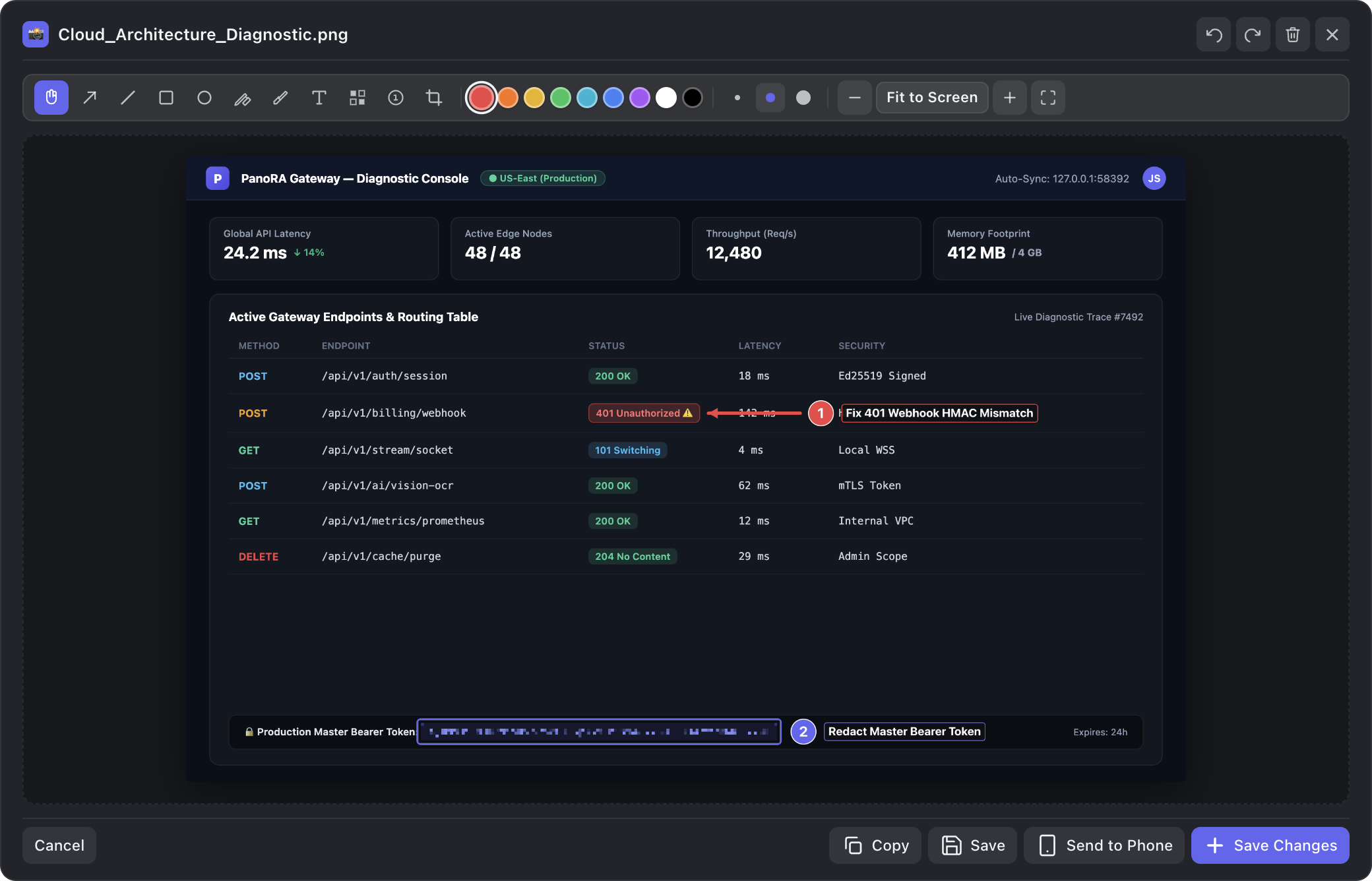
Bring Instant Clarity to Screenshots with Annotator
Skip long explanatory paragraphs when reporting bugs to engineers or designers. Communicate instantly with directional arrows, numbered step badges (1, 2, 3), freehand pen, and blur brushes.
- Auto-snapping directional arrows and curated color palette
- Sequential step badges to number reproduction steps cleanly
- Rapid clipboard copying and instant high-res file export
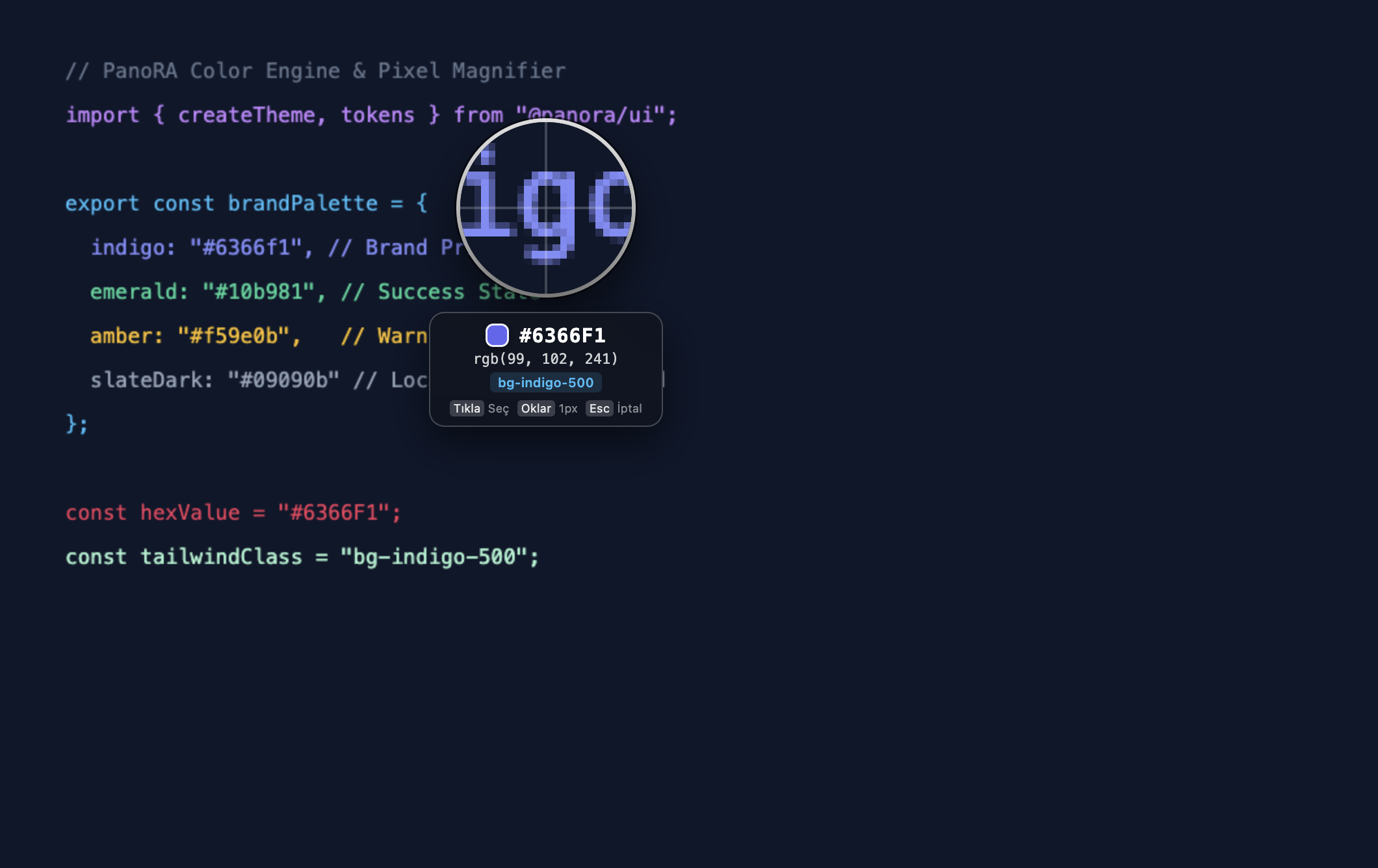
Extract Hex, RGB & Tailwind Colors with Pixel Loupe
Hover over any pixel on your screen with a 10x real-time magnifier. Grab Hex, RGB, or matching Tailwind CSS color classes instantly to your clipboard.
- 10x pixel grid magnifier with high-precision center reticle
- Instant format conversions: HEX, RGB, HSL, and Tailwind CSS palette
- Saves picked palettes as history cards in your local stream
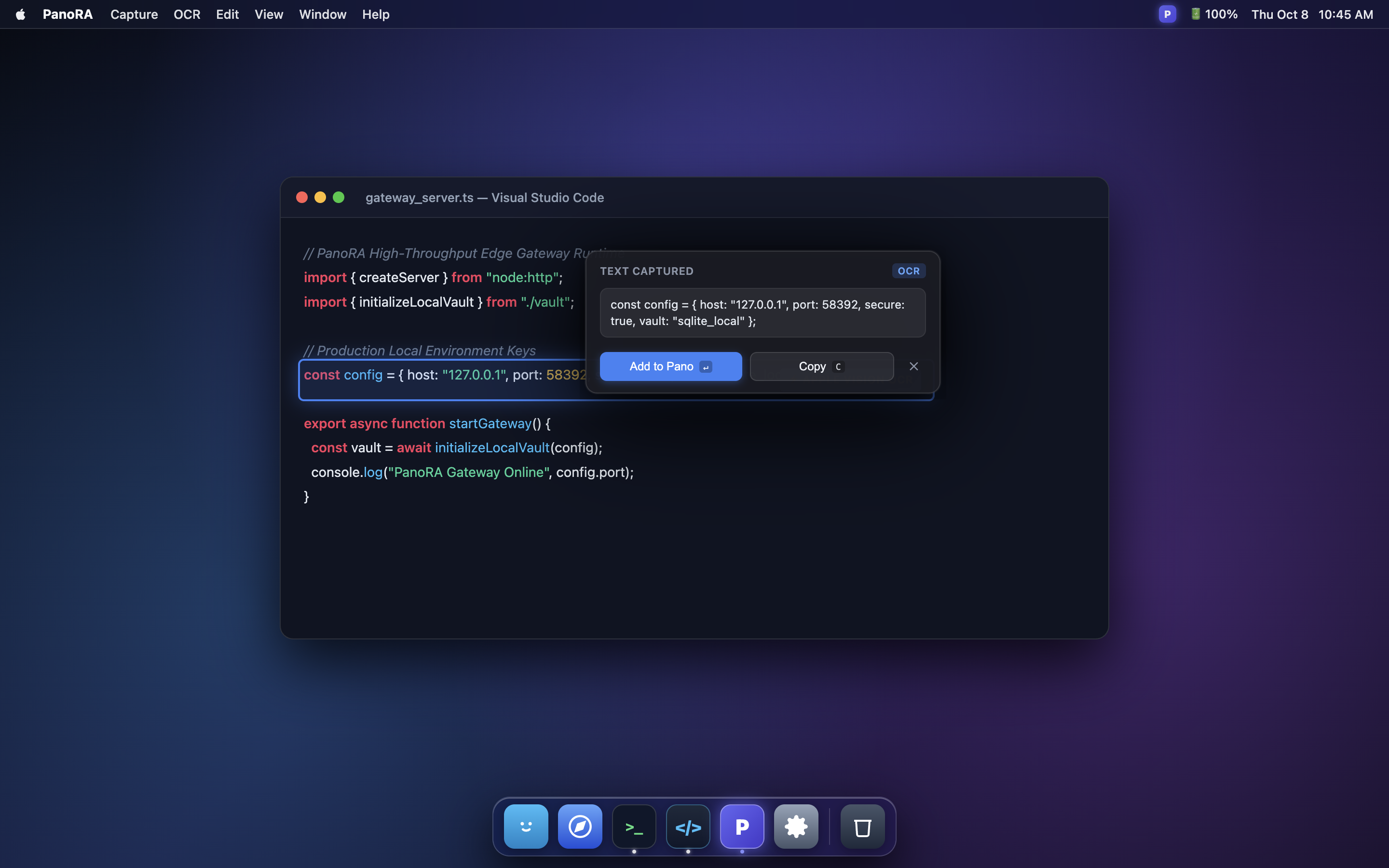
Transfer Cards to Mobile via Pano Drop (No Cloud)
Scan the dynamic QR code from your phone camera to open a direct peer-to-peer Wi-Fi connection with your desktop. Transfer files with zero cloud intermediary.
- Ephemeral dynamic port allocation with single-session security token
- No companion app needed — opens instantly in any mobile browser
- Works in airplane / offline LAN environments with zero telemetry
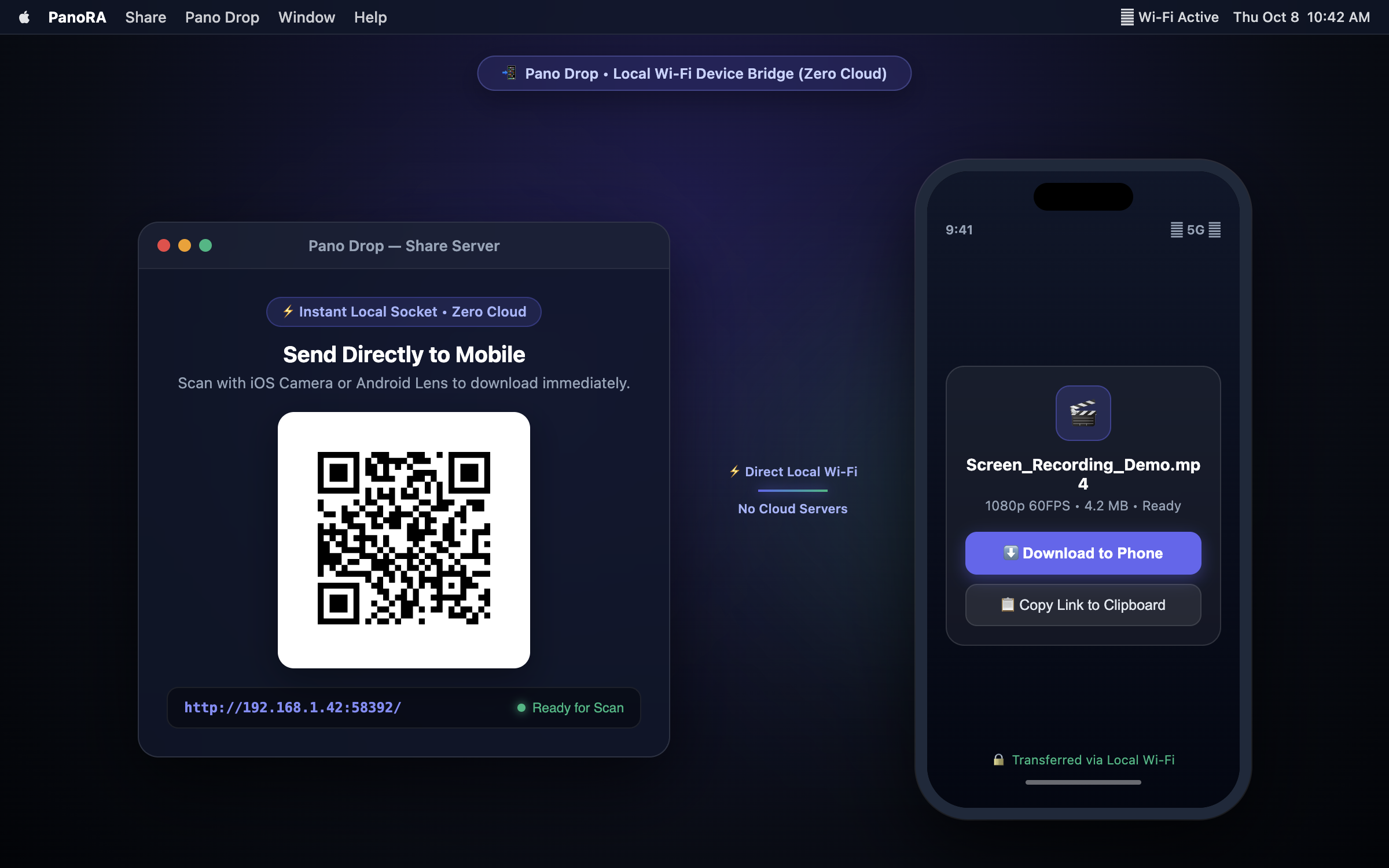
Always-on-Top Sticky Notes for Quick Reference
Keep critical tasks, code snippets, or meeting notes pinned in front of you. Choose from curated soft-tint palettes and toggle transparency on demand.
- Floating always-on-top window with smooth collapse mode
- Markdown text styling and checklist support
- Auto-saved locally with zero cloud synchronization risk
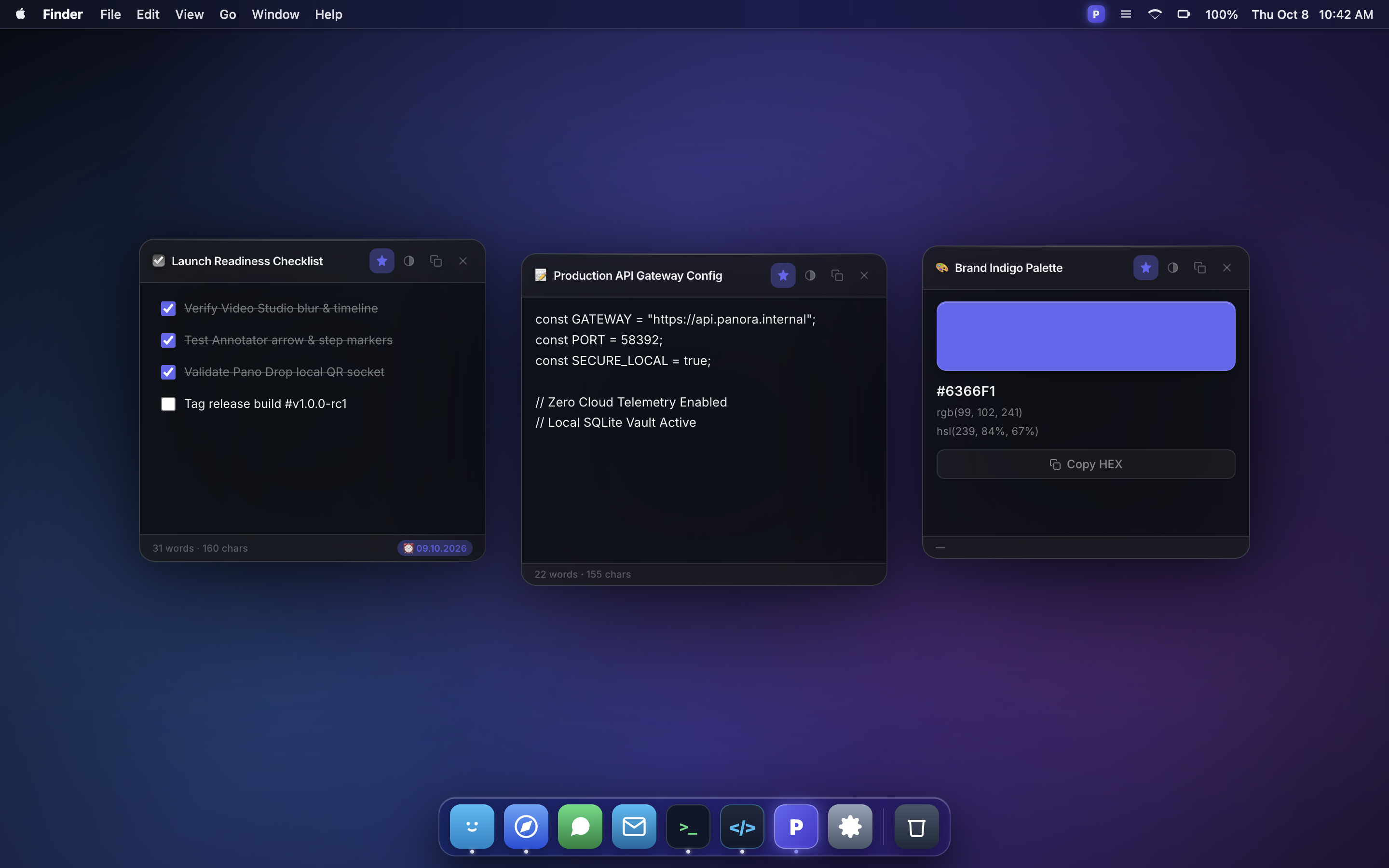
Never Lose Clipboard Context with Live Cards
Every screenshot, video snippet, copied link, or voice note automatically becomes a clean visual card on your desktop HUD. Filter by tag, favorite items, or copy with a click.
- Real-time card stream stored locally in plain JSON
- Color tagging, favorite pinning, and instant full-text search
- Multi-screen support with floating and pinned HUD modes
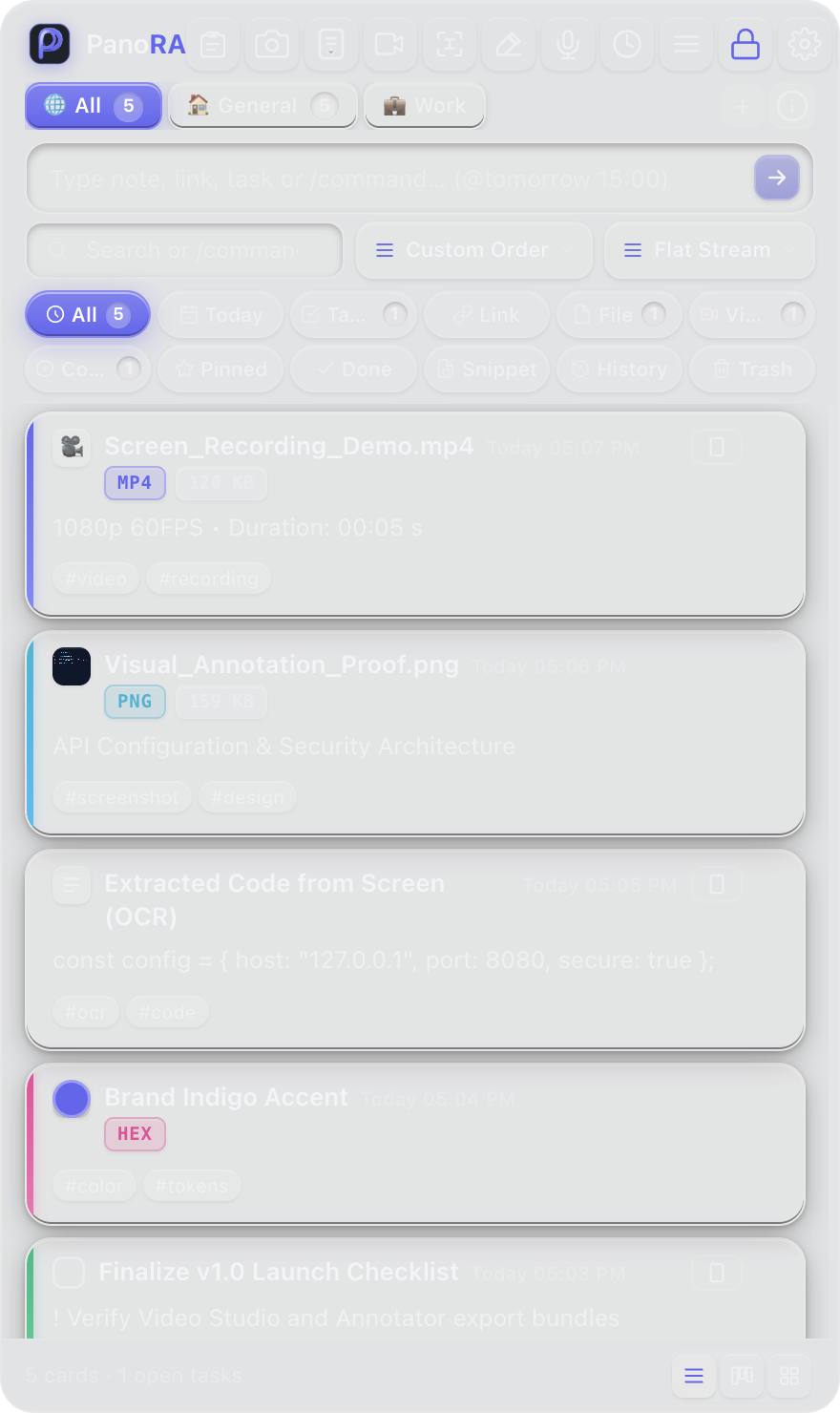
Capture Unselectable Text with Apple Vision & Windows OCR
Copy text from error dialogs, video frames, diagrams, or locked PDF viewers effortlessly. Extract clean text with native on-device OCR in milliseconds.
- 100% on-device processing with Apple Vision & Windows Media OCR
- Zero cloud latency, zero external API transmission
- One-click copy to clipboard or direct export to markdown note
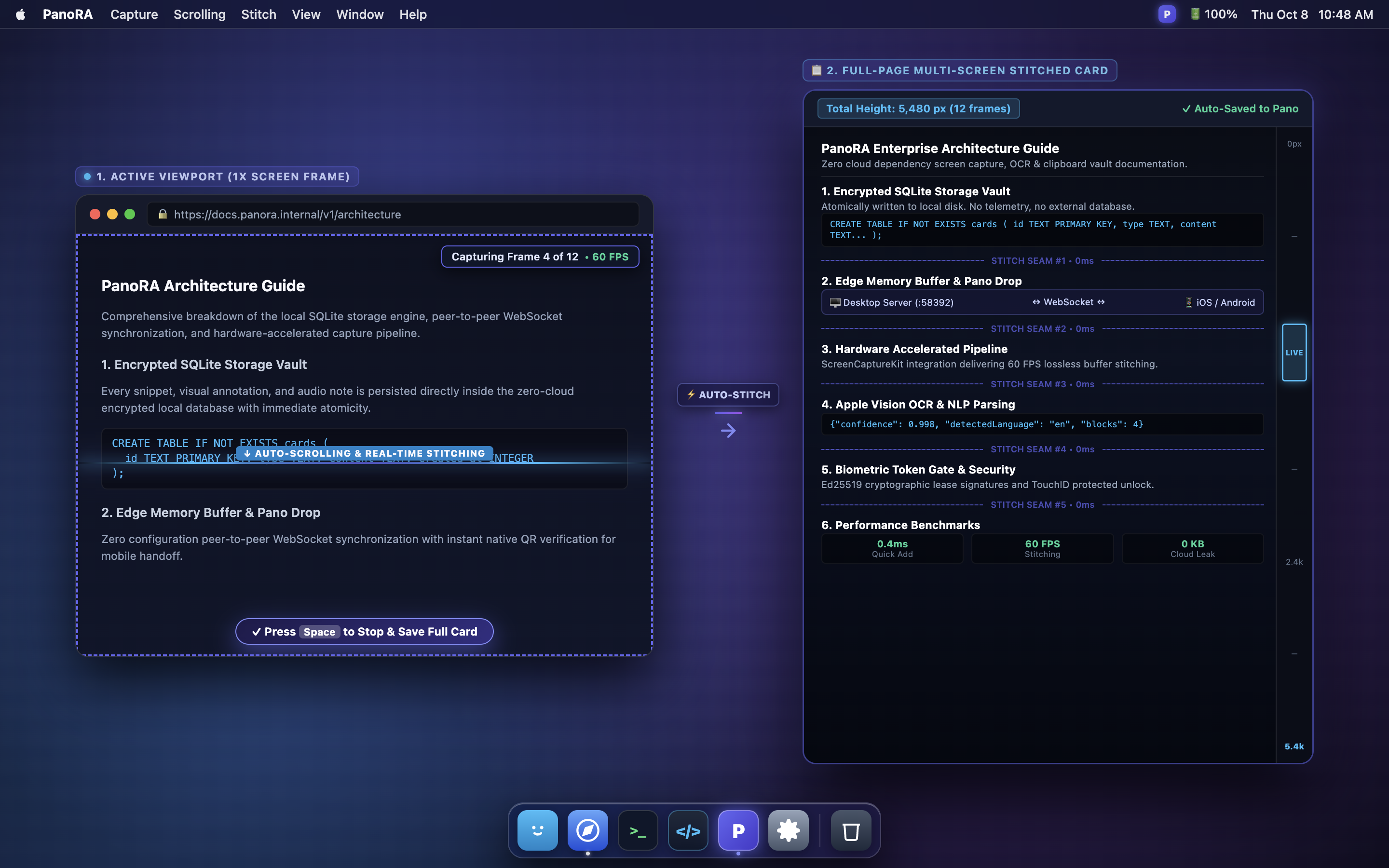
Capture Long Webpages with Scrolling Screenshot
Capture complete chat histories, legal contracts, or long web articles in a single high-resolution image. Intelligent edge-matching stitches scrolls seamlessly.
- Auto-scrolling capture engine with pixel-overlap alignment
- Handles dynamic web layouts, fixed headers, and long documents
- Export as crisp lossless PNG or compressed WebP
Engineered for Performance and Deep Focus
Everything you need for daily capture, documentation, and local asset management in one unified desktop experience.
Native On-Device OCR
Copy text from error dialogs, video frames, diagrams, or locked PDF viewers effortlessly. Extract clean text with native on-device OCR in milliseconds.
Quick Voice Notes
Record quick voice memos directly on your desktop; lightweight, high-fidelity audio cards are saved instantly to your Pano board.
Hardware Acceleration
Powered by GPU acceleration and native desktop pipelines for smooth 60 FPS captures with zero lag.
Global Native Shortcuts
Trigger screen captures, video recording, or color loupe instantly across any app.
⌘+⇧+E Screen Recording Studio
Multi-Monitor Ready
Lossless full-resolution capture and smart cursor tracking across Retina and external displays.
Instant Local P2P Drop
Transfer any card to your smartphone via local Wi-Fi QR with zero cloud servers.
Pomodoro Focus Timer
Stay in the zone with customizable 25/5 min focus intervals, offline chime notifications, and full-screen cards.
Workspaces & Fast Search
Every screenshot, video snippet, copied link, or voice note automatically becomes a clean visual card on your desktop HUD. Filter by tag, favorite items, or copy with a click.
Zero Cloud. Zero Tracking. 100% Your Data.
We built PanoRA with an uncompromising local-first philosophy. Your creative work and confidential screen data never touch external servers.
100% Local Disk Storage
Your card history, screenshots, and video recordings are stored entirely in a human-readable local directory (~/Library/Application Support/PanoRA/pano.json). No proprietary databases, no lock-in.
Zero User Tracking
PanoRA contains zero tracking code or ads. Anonymous crash reports are scrubbed of all PII, and the application functions 100% offline.
Isolated Peer-to-Peer Wi-Fi
Pano Drop starts a temporary local HTTP web server strictly on your local Wi-Fi subnet. It terminates immediately upon window closure with one-time authorization tokens.
Everything You Need to Know
Be the First to Experience PanoRA
PanoRA is currently in private preview for macOS and Windows. Enter your email to receive immediate notification when the public release is ready.